Fake OS Loading Screens
Generate realistic Windows, macOS, SteamOS, and terminal loading screens for pranks and demonstrations
Select Operating System
Timing & Progress
30s
Progress:
0% → 100%
over
30s
Controls
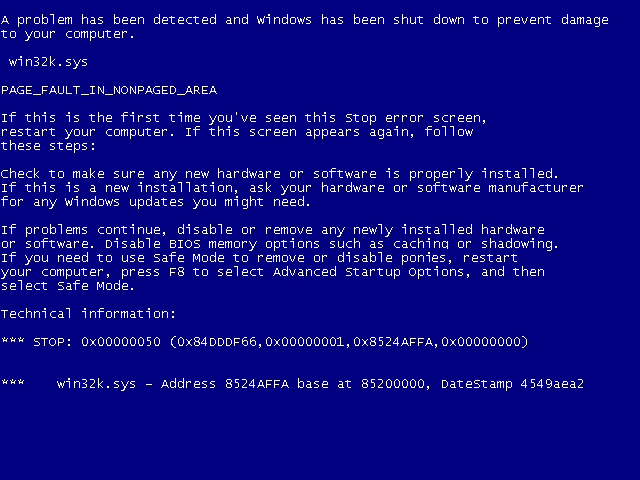
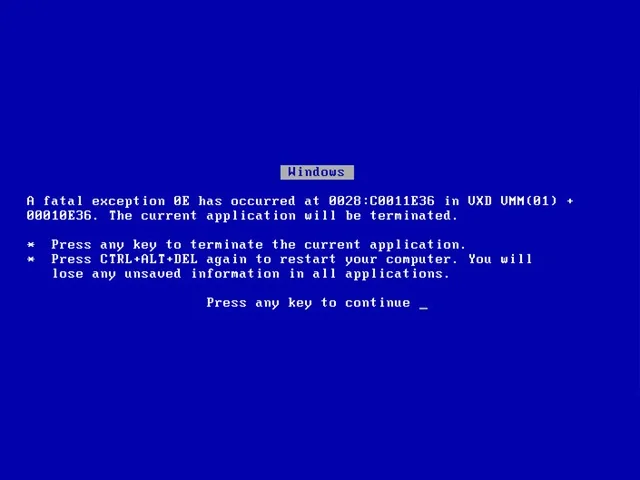
Press Enter or Backspace on Windows screens for BSOD prank
Live Preview
Windows 7
0%

Configuring Windows Updates
0% complete.

Working on updates 0% complete.
Don't turn off your PC. This will take a while.
Your PC will restart several times
:(
Your PC ran into a problem and needs to restart. We're just
collecting some error info, and then we'll restart for you.
0% complete

For more information about this issue and possible fixes, visit
https://www.windows.com/stopcode
If you call a support person, give them this info:
Stop code: CRITICAL_PROCESS_DIED
Installing Windows 11
Your PC will restart several times. Sit back and relax.
0%
Copying Files •
Installing features and drivers 0% •
Configuring settings
:(
Your device ran into a problem and needs to restart. We're just
collecting some error info, and then you can restart.
0% complete
For more information about this issue and possible fixes, visit
https://www.windows.com/stopcode
If you call a support person, give them this info:
Stop code: CRITICAL_PROCESS_DIED
Configuring updates: Stage 1 of 3 -
0% complete.


Installing Windows Updates... 0%

Copying files... 0%
Estimated time remaining: 15 minutes

About 24 minutes remaining
SteamOS GNU/Linux 3.0

user@ubuntu-desktop: ~ (bash)
Progress:
[ 0%]
[]
0% [Working] (Reading database ... 284192 files)
[ 1.428912] Kernel panic - not syncing: Attempted to kill init! exitcode=0x0000000b
[ 1.429015] CPU: 2 PID: 1 Comm: systemd Not tainted 6.8.0-45-generic #45-Ubuntu
[ 1.429098] Hardware name: PC / Generic x86_64, BIOS 1.16.0-ubuntu 04/01/2024
[ 1.429185] Call Trace:
[ 1.429220] <TASK>
[ 1.429260] dump_stack_lvl+0x48/0x70
[ 1.429310] panic+0x320/0x360
[ 1.429360] do_exit+0x8a0/0x910
[ 1.429410] do_group_exit+0x35/0x90
[ 1.429460] __x64_sys_exit_group+0x18/0x20
[ 1.429510] x64_sys_call+0x1200/0x20b0
[ 1.429560] do_syscall_64+0x7f/0x180
[ 1.429610] entry_SYSCALL_64_after_hwframe+0x78/0x80
[ 1.429670] </TASK>
[ 1.429710] ---[ end Kernel panic - not syncing: Attempted to kill init! exitcode=0x0000000b
]---
How to Use
- Choose a preset: Windows 11, Windows 10, Windows 7, Windows Vista, Windows XP, Windows 98, macOS, SteamOS, or Terminal.
- Adjust Duration and Start % to control timing and the initial percentage.
- Click Start to begin the animation; use Stop to reset.
- For multi-monitor: click New Monitor, drag the new window to another screen, then click Go Fullscreen (or press F11). All screens stay in sync.
- Use Share Link to copy a URL that preserves your settings.
Tips
- Press Esc to exit fullscreen.
- Press Enter or Backspace to trigger a realistic Blue Screen of Death (or Linux Kernel Panic on Terminal)!